

 By
By Introduction
A lot has changed with TV in the last few years. Many people are canceling cable and moving to internet streaming because it is cheaper and more flexible. While searching for better streaming options, you may have seen the term “Xtreme IPTV” and wondered what it really means. Is it a TV service? Is it an app? Or is it both?
In 2026, internet-based television will be more popular than ever. Families want to watch live sports, movies, and shows anytime and on any device. But before choosing any streaming service, it is important to understand how it works, what you are paying for, and whether it is safe and legal. In this guide, you will learn in simple words what IPTV is, how it works, how to set it up, and what to check before using it. By the end, you will feel confident about making the right streaming choice.
What is IPTV?
IPTV stands for Internet Protocol Television. This means TV content is delivered through the internet instead of cable or satellite.
In simple words:
IPTV lets you watch live TV and movies using your internet connection.
Instead of using a satellite dish, your device connects to a server online. The video is sent to you through data packets, just like YouTube or Netflix. Many people searching for Xtreme IPTV are actually looking for this type of internet TV system.
How is IPTV Different from Cable?
Cable TV sends signals through physical wires. IPTV sends video through the internet. Here’s a quick comparison:
| Feature | IPTV | Traditional Cable |
| Connection Type | Internet | Coaxial cable |
| Installation | App download | Technician visit |
| Device Support | TV, phone, tablet | Mostly TV only |
| Flexibility | Watch anywhere | Fixed location |
| Monthly Cost | Often lower | Usually higher |
You can see that IPTV gives you more options. But it depends on having a stable internet connection.
What Does Xtreme IPTV Really Mean?
“Xtreme IPTV” can mean two different things. This is where a lot of people get lost.
- A Content Provider: Some companies use this name to sell TV channel subscriptions.
- A Media Player App: Other times, it refers to a player app that streams content from a provider.
The important thing to know is this:
Most IPTV player apps do NOT provide channels. They only play content from a separate subscription service. If you install an app without a subscription, it will not show any channels. Understanding this difference helps you avoid wasting money or time.
How Does IPTV Work in 2026?
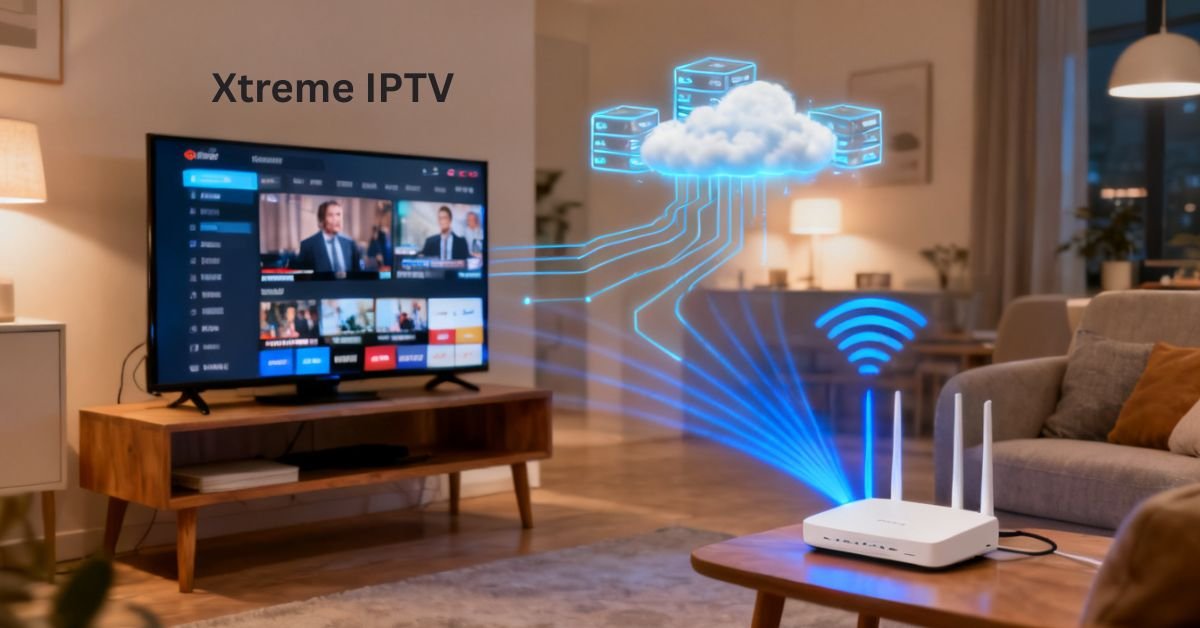
IPTV technology has come a long way in the last several years. In easy steps, here’s how it works:
- A TV channel is recorded and encoded into digital format.
- The video is compressed to reduce file size.
- It is sent to servers around the world.
- Your device requests the stream.
- The app decodes and displays it on your screen.
Modern systems use smart streaming technology. This means that the quality of the video changes instantly based on how fast your internet is.
For example:
- Slow internet = lower-quality video
- Fast internet = HD or 4K video
Many users searching for Xtreme IPTV want smooth 4K streaming. For that, you need at least 25 Mbps internet speed in 2026.
Features You Should Expect in 2026
IPTV apps today are more advanced than ever. When exploring options related to Xtreme IPTV, look for these features:
- Electronic Program Guide (TV schedule)
- Catch-up TV (watch past programs)
- Video on Demand (movies and shows)
- Multi-device support
- Parental controls
A clean and simple interface is also important. If the app is hard to use, it can ruin your experience. Modern IPTV apps also support smart TVs, Android devices, iPhones, and streaming sticks.
Is Xtreme IPTV Legal?
This is one of the most common questions in 2026. The technology itself is legal. IPTV is just a method of streaming video over the internet. However, legality depends on the content provider. If a service streams copyrighted channels without permission, it may be illegal in your country.
According to the U.S. update from the Copyright Office in 2026, streaming licensed material is legal, but redistribution without permission is not. Before choosing a service connected to Xtreme IPTV, make sure:
- The provider has proper broadcasting rights
- The pricing looks realistic (extremely cheap deals can be a warning sign)
- The website provides clear company information
When in doubt, research reviews and local laws.
How to Set Up IPTV Step by Step
Setting up IPTV is usually simple. You do not need advanced technical skills.
Step 1: Choose a Device
You can use:
- Smart TV
- Android TV box
- Amazon Fire Stick
- Smartphone or tablet
Step 2: Install the app
Download the IPTV player from the official app store.
Step 3: Enter Subscription Details
Your provider will give you:
- M3U playlist link or
- Portal URL with username and password
Enter this information into the app.
Step 4: Start Watching
Once loaded, you can browse channels and start streaming.
Many beginners exploring Xtreme IPTV are surprised at how fast setup takes. Most users finish within 10–15 minutes.
Internet Speed Requirements in 2026
Your streaming quality depends on internet speed. Here’s a simple guide:
| Video Quality | Recommended Speed |
| SD (480p) | 5 Mbps |
| HD (1080p) | 10–15 Mbps |
| 4K Ultra HD | 25–35 Mbps |
| 8K (limited) | 50+ Mbps |
If your video buffers often, your internet may be too slow. You can test your speed using free online tools. If needed, upgrade your broadband plan.
Common Problems and Simple Fixes
Even the best systems can have issues. Users of Xtreme IPTV sometimes report buffering or freezing. Here are simple fixes:
- Restart your router.
- Clear the app cache.
- Switch from Wi-Fi to wired Ethernet.
- Lower the streaming resolution.
Many problems are caused by weak Wi-Fi signals. Moving your router closer to your device can help. If issues continue, contact your provider to check server status.
Safety and Privacy Tips
Online streaming comes with risks. In 2026, cybersecurity is more important than ever. Follow these simple safety steps:
- Use strong passwords.
- Download apps only from official stores.
- Avoid unknown APK files.
- Keep your device updated.
The FBI Cyber Advisory 2026 warns users about fake streaming apps that collect personal data. If you are trying a service related to Xtreme IPTV, always check reviews before installing anything. Protecting your data is just as important as enjoying entertainment.
Why IPTV Is Growing So Fast
IPTV continues to grow because people want flexibility. With internet TV, you can:
- Watch from anywhere
- Choose what you want to pay for
- Avoid long cable contracts
- Stream on multiple devices
Younger viewers especially prefer on-demand content over traditional schedules. As internet speeds improve worldwide in 2026, IPTV adoption is expected to increase even more.
FAQs
Is Xtreme IPTV an app or a service?
It can refer to either a subscription provider or a player app.
Do I need fast internet for IPTV?
Yes. At least 10 Mbps for HD and 25 Mbps for 4K.
Is Xtreme IPTV safe to use?
Yes, if you use licensed providers and official apps.
Can I use IPTV on my phone?
Yes, most apps support Android and iOS devices.
Why does my stream keep buffering?
Because the internet is slow or the Wi-Fi is weak.
Conclusion
Internet TV is becoming the new normal. Instead of using cables and satellite dishes, people now stream their favorite channels through the internet. Understanding how Xtreme IPTV works helps you avoid confusion and make smart decisions. The most important thing to remember is that some services provide the content, while some apps only play the content from a provider.
Before choosing any IPTV service, always check your internet speed, make sure the provider is licensed, and download apps from official stores. Taking a few extra minutes to research can save you money and protect your privacy. Streaming should be simple, safe, and enjoyable. When you understand the basics, you can enjoy your favorite shows without stress and with full confidence.